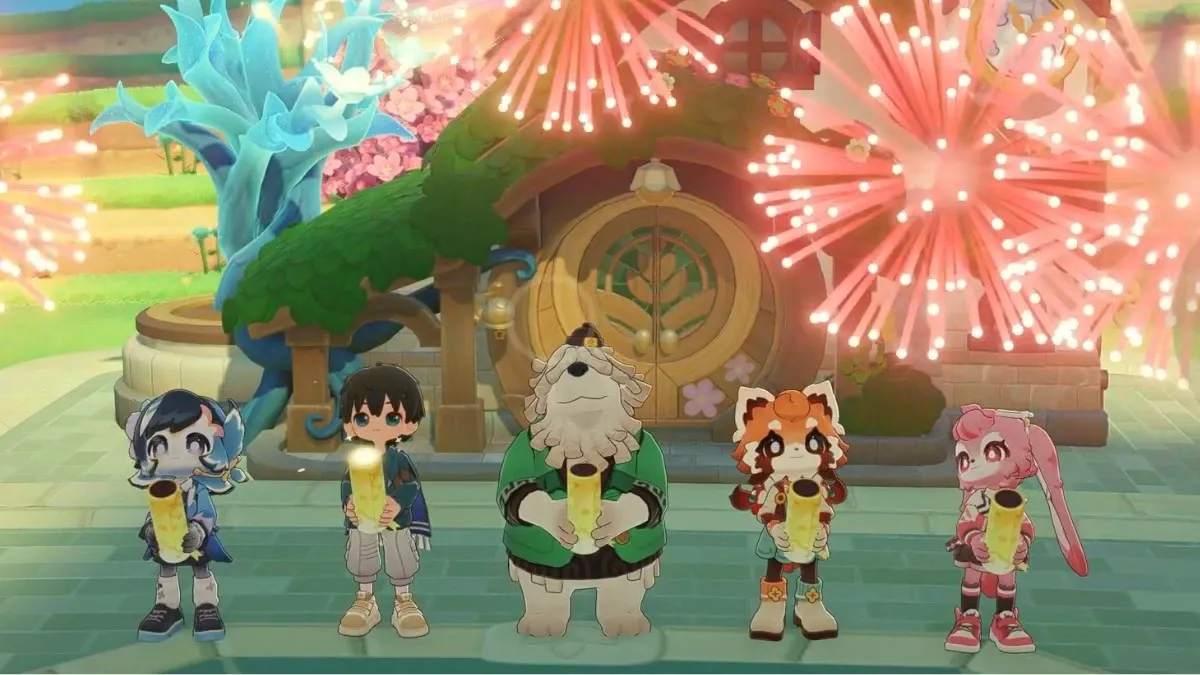
HoYoverse's upcoming cosy life simulator shows a lot of promise, but there still are things to polish.
HoYoverse has a new cosy game on the horizon, and if you’ve been keeping an eye out for something slow, gentle, and easy to sink into, Petit Planet might already be on your radar.
We were given the opportunity to access the game a few days before this week’s closed beta, and after some time with it, we think there’s quite a lot to love about this game, even if it still has a few kinks to smooth out.
Petit Planet
Release date: To be announced
Platfforms: PC, mobile (via iOS or Android)
Developer: HoYoverse
What is Petit Planet?
At its heart, Petit Planet is a free-to-play life simulator where you build, decorate, and simply exist at your own pace, very much in the same vein as Animal Crossing: New Horizons, Stardew Valley, Pokémon Pokopia and more games of the cosy variety. But instead of a village or farm, you’re given something a little bigger and even more whimsical to tend to: your very own planet.
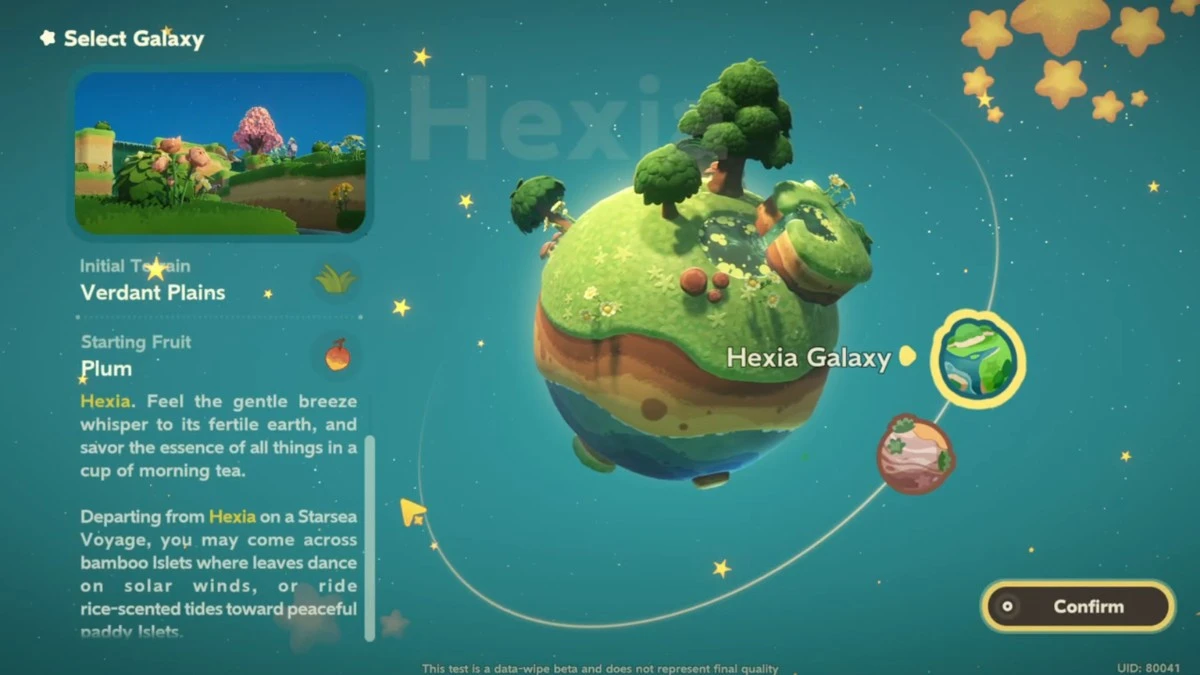
You step into the role of a “Planet Tender,” where you’re given ownership over a small, quiet planet and asked to help it grow.
Most of your time is spent doing the usual cosy staples: fishing, planting crops, gathering materials, cooking meals, and crafting furniture. It all feeds into a simple but satisfying rhythm. You earn Luca in a bottle, pour it into your Luca Arbor, and gradually watch your planet change.
As your Luca Arbor grows, new areas open up, new creatures appear, and the world slowly fills out around you.
Is Petit Planet a cosy game?
There’s a softness to Petit Planet’s visuals that’s easy to settle into. The game leans into bright, space-themed colours, but still keeps everything feeling warm and cosy. Environments are vibrant without being overwhelming, and the overall art style stays playful, especially with details like talking animal neighbours, drifting stars in the background, and the little car you use to travel between planets.
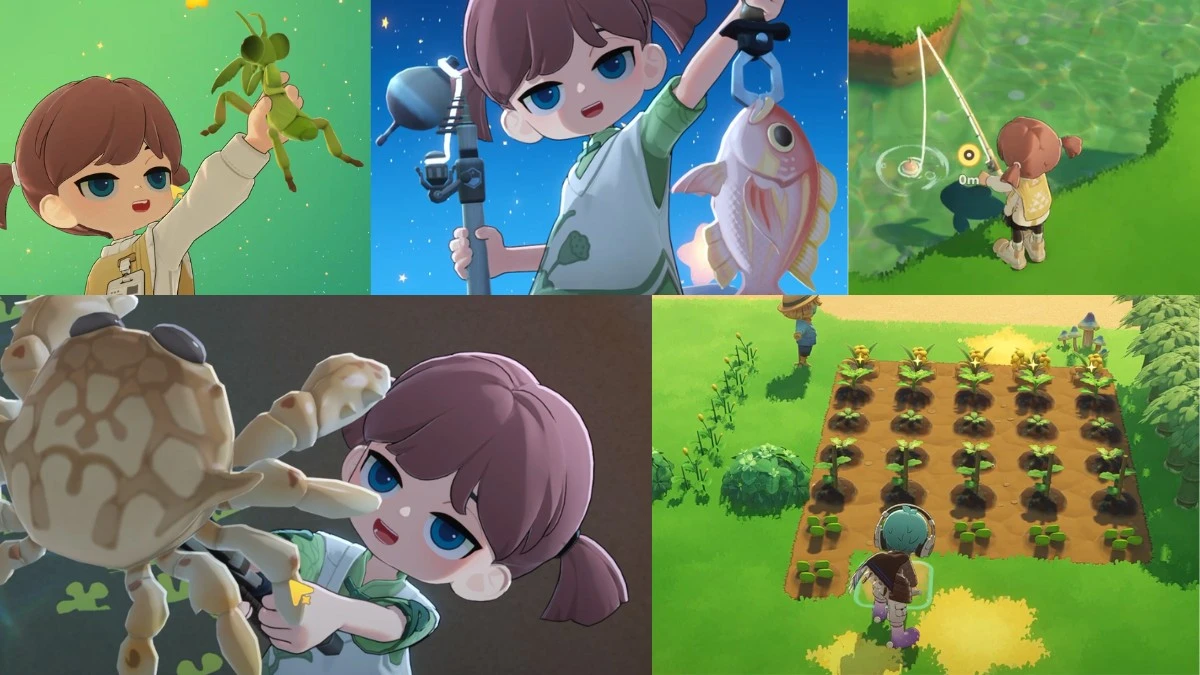
The music does a lot of heavy lifting here. It’s mellow, a little dreamy, and at times almost lulls you into slowing down without realising it. The whole experience gently nudges you to take your time.
That said, it can occasionally tip a bit too far in that direction. Character dialogue stretches on, tutorials are lengthy, and if you’re eager to get going, the early hours can thus feel slightly drawn out.
Petit Planet’s neighbours
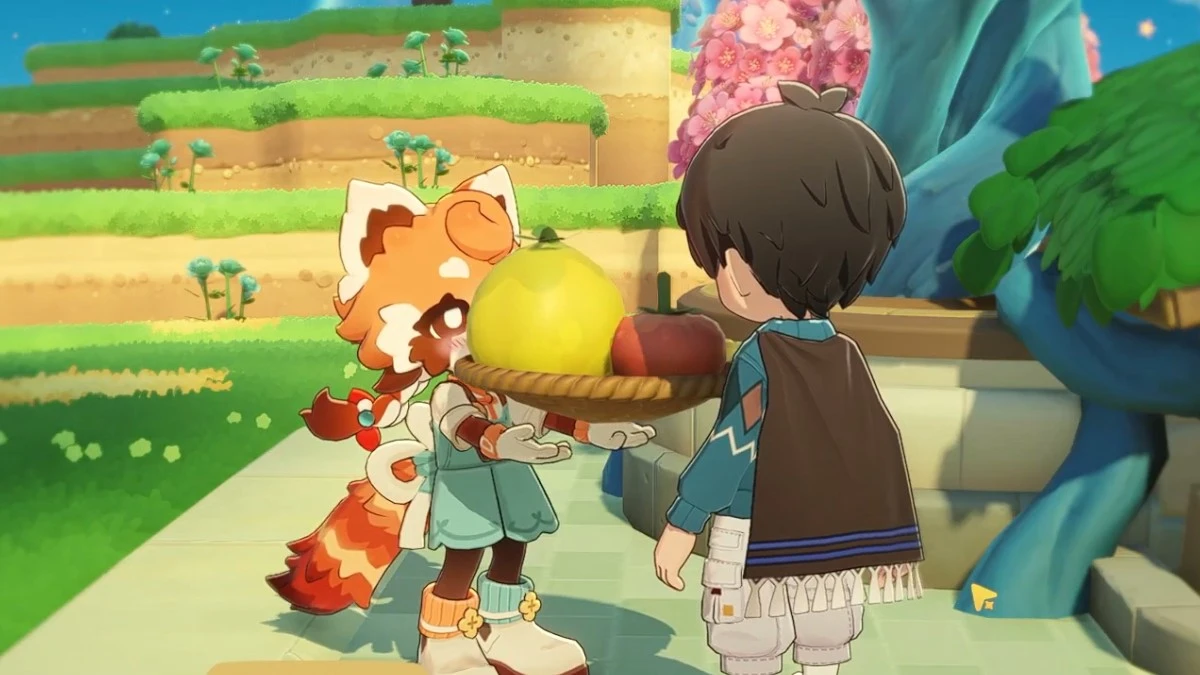
One of Petit Planet’s strongest features is its neighbours, the characters who move into your world and help it grow. They’re not just there for flavour, either. Each one brings something useful to the table.
Yunguo is probably the clearest example of this. She’s a shy, red panda-like cultivator with a proper focus on farming, and having her around makes a noticeable difference. She’ll tend to her own crops, and then occasionally gift you some seeds and plants, or even Inspo Cards.
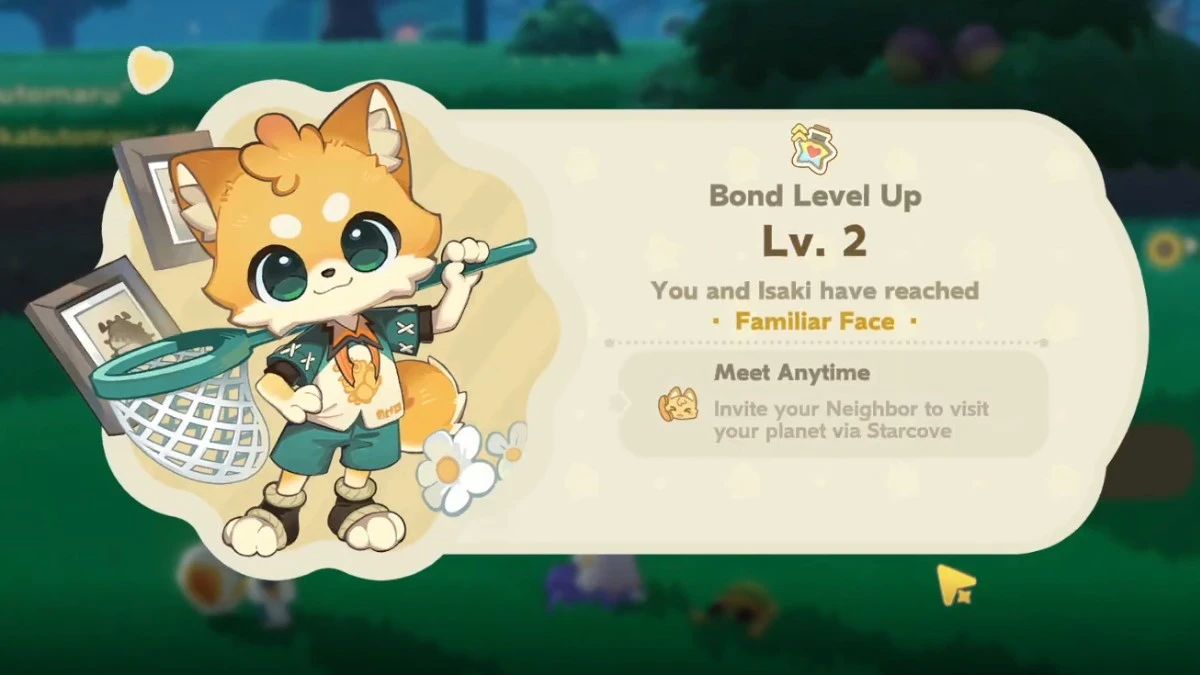
Then there’s Isaki, who sits on the complete opposite end of the spectrum. He’s introduced as a “Battle Beetle Trainer.” From our interactions with him, it seems like he’s the competitive type, and builds some equipment and furniture here and there. There are plenty others as well, like Dorjelang, an excitable hatmaker; Medowlyn, a friendly woolly plushie designer, and more.
Petit Planet decorating and crafting explained
This is where Petit Planet really starts to shine, but also where some of its flaws become more obvious.
In the game, you get to buy or build your own furniture to decorate your home. To unlock new designs, you will need the specific Inspo Card for that furniture–essentially in-game recipes–that your character can learn. You’ll get Inspo Cards from all sorts of places: quests, neighbours, or even shaking down some trees. Once you’ve learned from an Inspo Card, the item is yours to craft whenever you have the materials.
There’s already a solid range of styles available, and a lot of the furniture isn’t just decorative, but rather functional in small ways, which helps your space feel more lived in, rather than just staged for aesthetics.
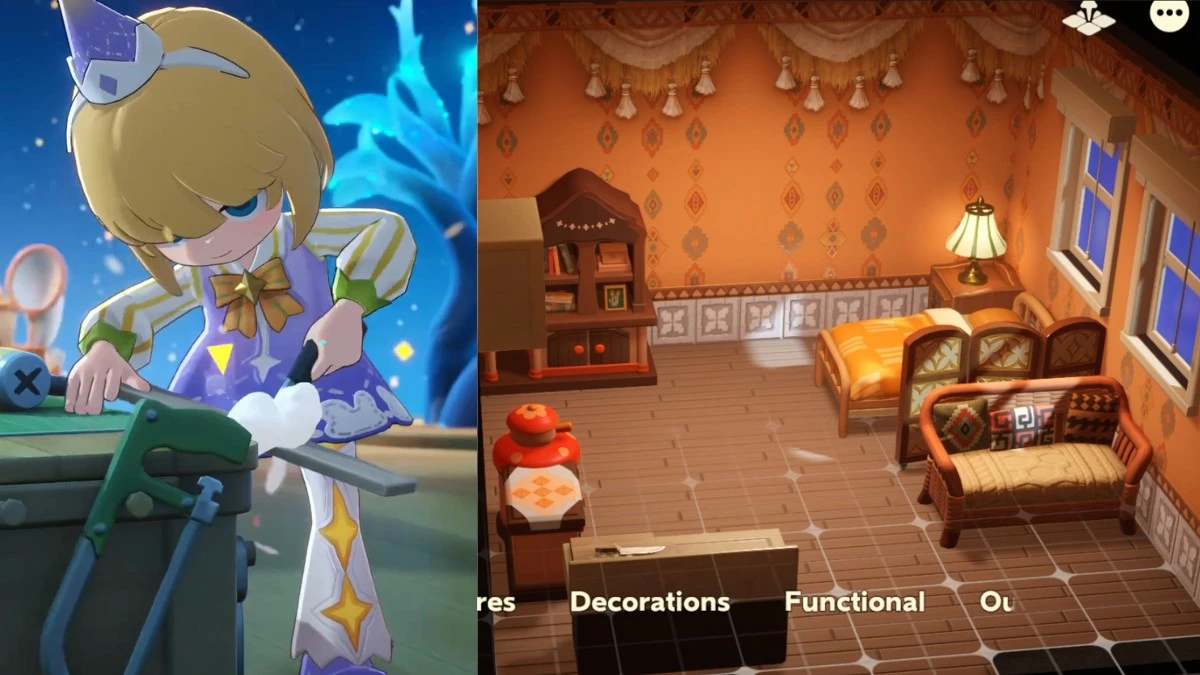
Once you start getting more particular with decorating however, the limitations show up. Positioning furniture can feel imprecise, especially near walls or when you’re trying to line things up cleanly. You’ll often end up with small gaps that you can’t fully close, which makes certain layouts feel slightly off, no matter how much you adjust them.
The camera doesn’t help either. It’s quite restricted, particularly when working in tighter indoor spaces or trying to place ceiling-mounted items. You’ll find yourself fighting the angle more than you should.
UI can also use some improvement, since it’s not instinctive, like other games with crafting. You’d have to keep returning to your crafting desk or your cooking station to determine how much more of a certain material you need.
Even with those frustrations, though, the core appeal is strong. When everything clicks, decorating is still one of the easiest ways to lose hours in the game.
How cooking works in Petit Planet
Cooking is also a fun feature in the game. You’ll pick up recipes to learn new dishes; sometimes from neighbours, sometimes just from exploring, and sometimes just from plain lucky experimentation… which doesn't always work in your favour.
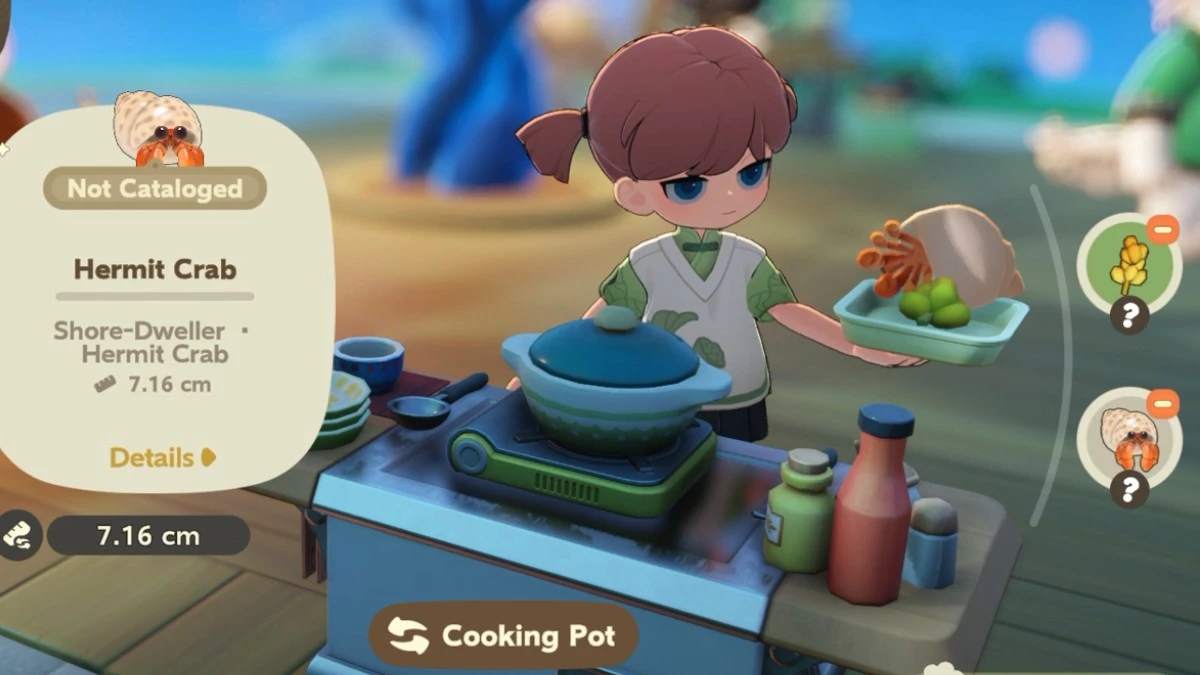
These dishes are also pretty useful in the game. You can eat them to gain energy to do all your chores in tending the planet, hand them off to neighbours (which they do react to), gift them to players to increase your bond with other players, or use them for StarDash deliveries if you’re trying to earn a bit more on the side.
How multiplayer works in Petit Planet
Multiplayer is there when you want it, and easy to ignore when you don’t. You can visit other players’ planets, or have people drop by yours. It doesn’t push you into anything, which makes it feel pretty relaxed overall.
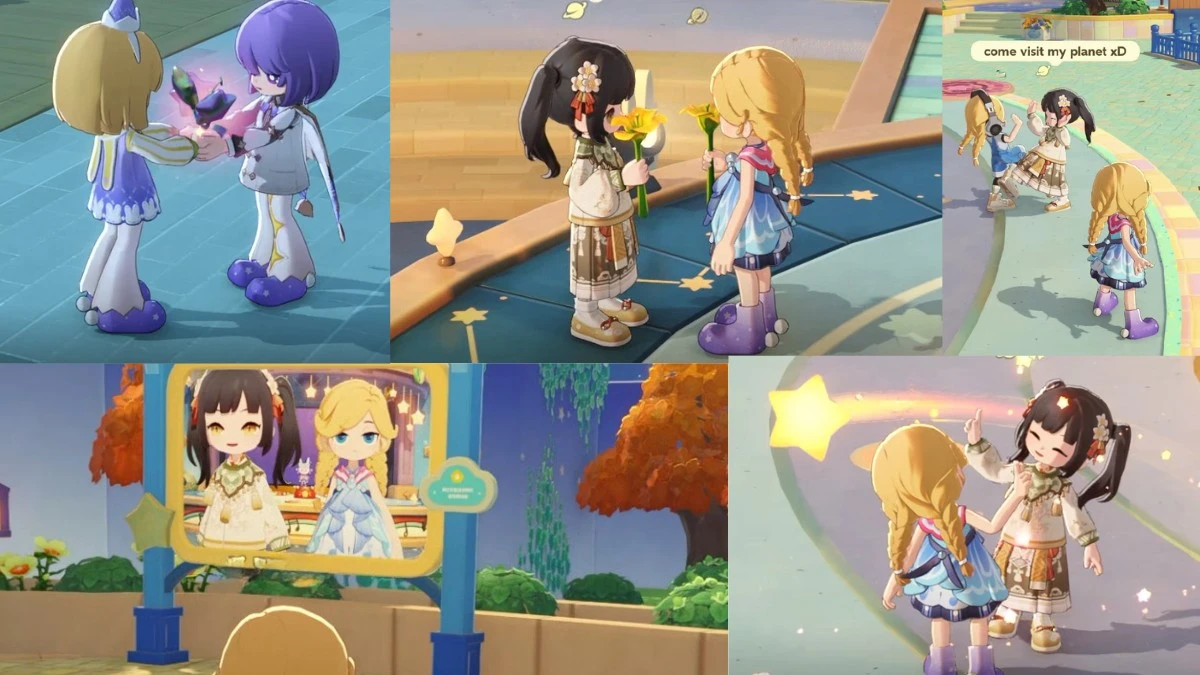
Visiting other planets helps you get inspiration. There are smaller interactions too, like gifting items, taking photos together, dancing together, holding hands, creating a train together, playing mini-games together, and more. That said, some interactions are buggy at this stage. Gifting sometimes doesn’t work, and accepting other multiplayer activities can be inconsistent too.
What is the Galactic Bazaar in Petit Planet?
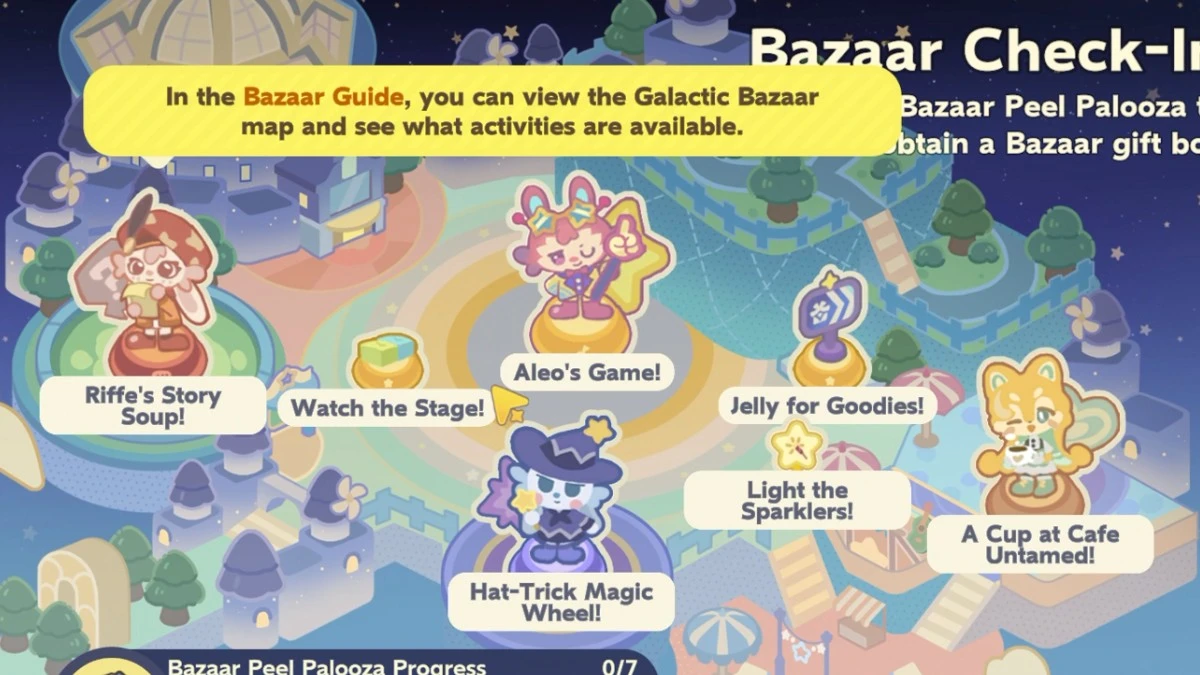
The Galactic Bazaar is where everything feels a bit more alive, as it's filled with different activities you can do either by yourself or with other players. It feels like an endless tea party with pretend-play opportunities that you can do either with your friends or new acquaintances, without feeling awkward at all.
There’s a mix of little activities scattered across the Galactic bazaar. You can jump into minigames, try your luck with rewards, perform on stage, or just sit down somewhere quieter if you feel like slowing things down.
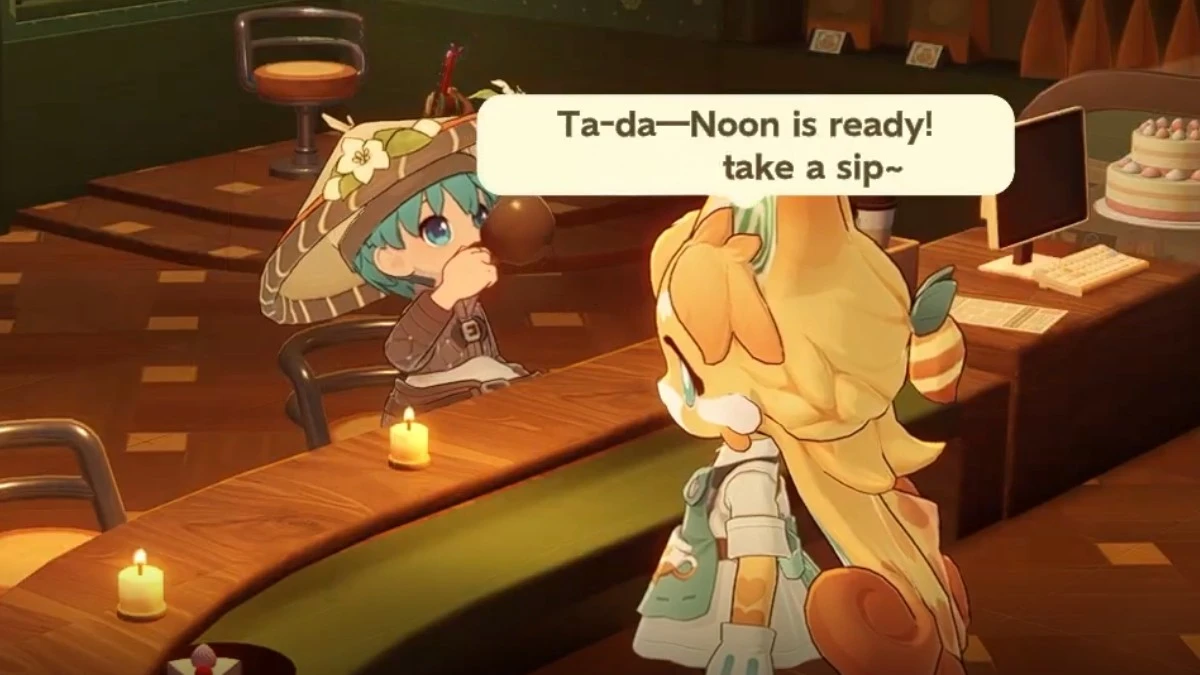
What are the minigames in Petit Planet?
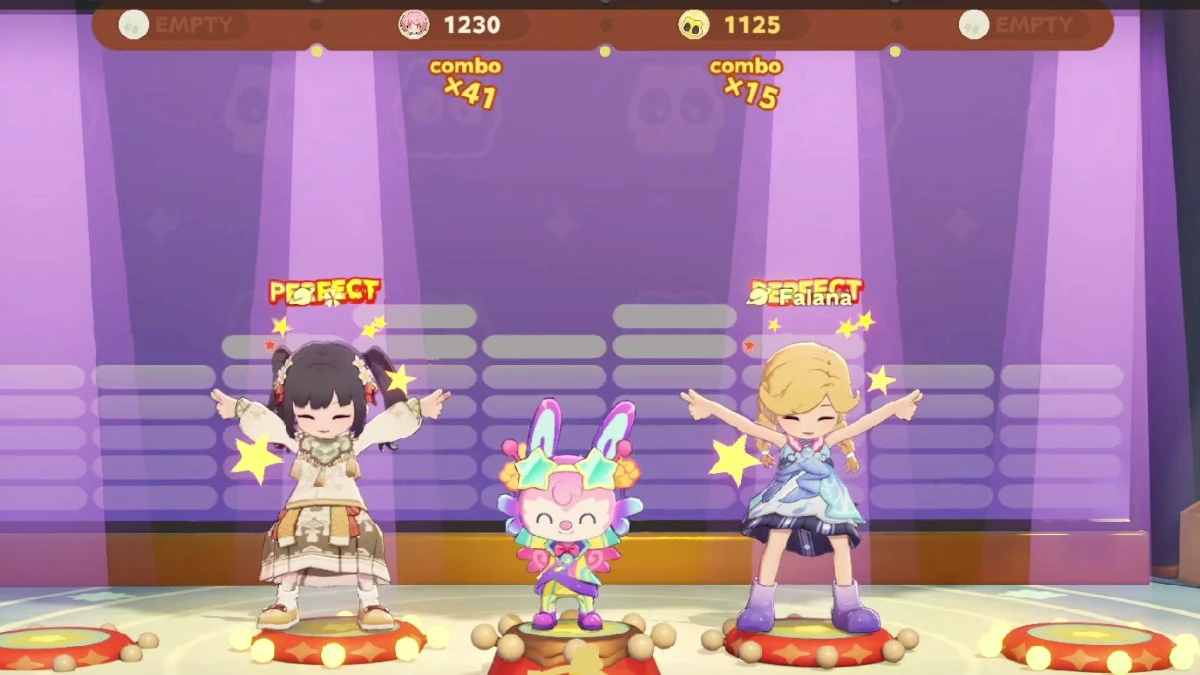
Mini-games are present, but they’re still in that early stage where you can see the idea more than the full execution.
Some are scheduled in real-time, like Pitch & Profit or a rhythm-based game called Hype Bazaar Rhythm, while others run continuously, such as word-based games like Riffe's Story Soup or storytelling games. They’re often tied to the Galactic Bazaar. What makes these games stand out slightly is that some interactions can feel dynamic depending on what you input. That adds a bit of unpredictability to the mix, though it also comes with some rough edges (bugs, odd responses, things stopping midway).
Can I dress up and customise my character in Petit Planet?
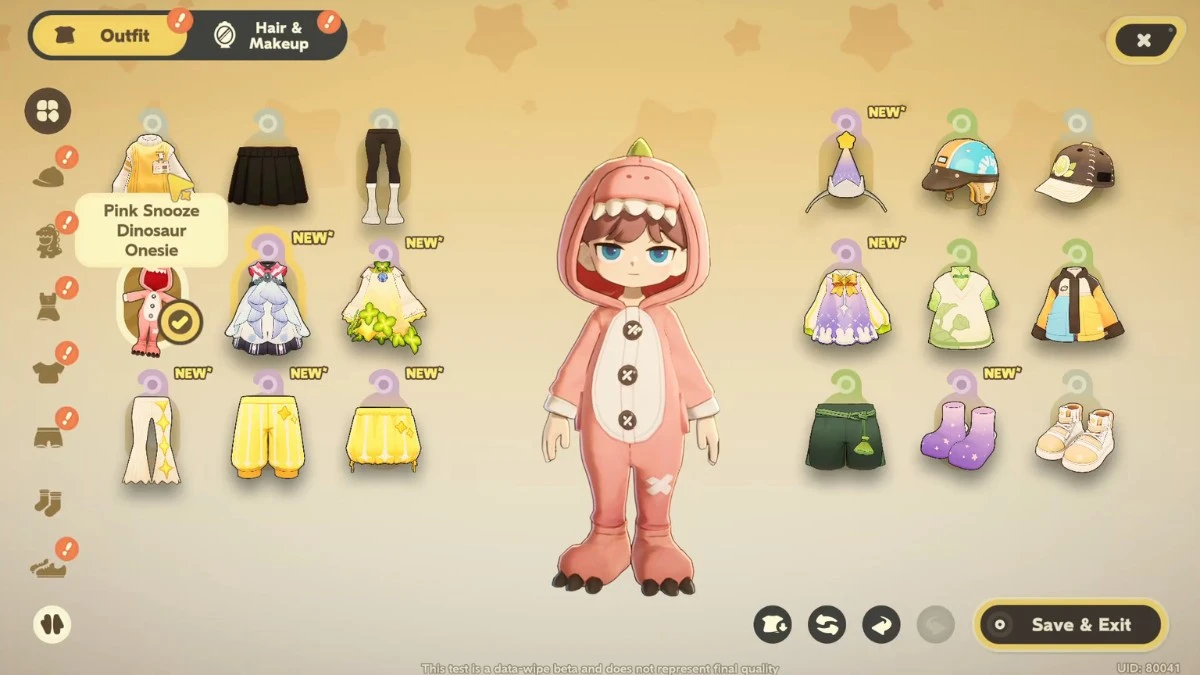
Yes, you can customise your character’s hair, features, outfit. There’s a steady stream of outfits you can collect, whether through crafting, rewards, or purchases. You can mix things around however you like, so it’s easy to match your look to whatever vibe your planet has. It already feels decent in terms of variety, and it’s easy to imagine it growing quite a bit over time.
How Starsea exploration works in Petit Planet
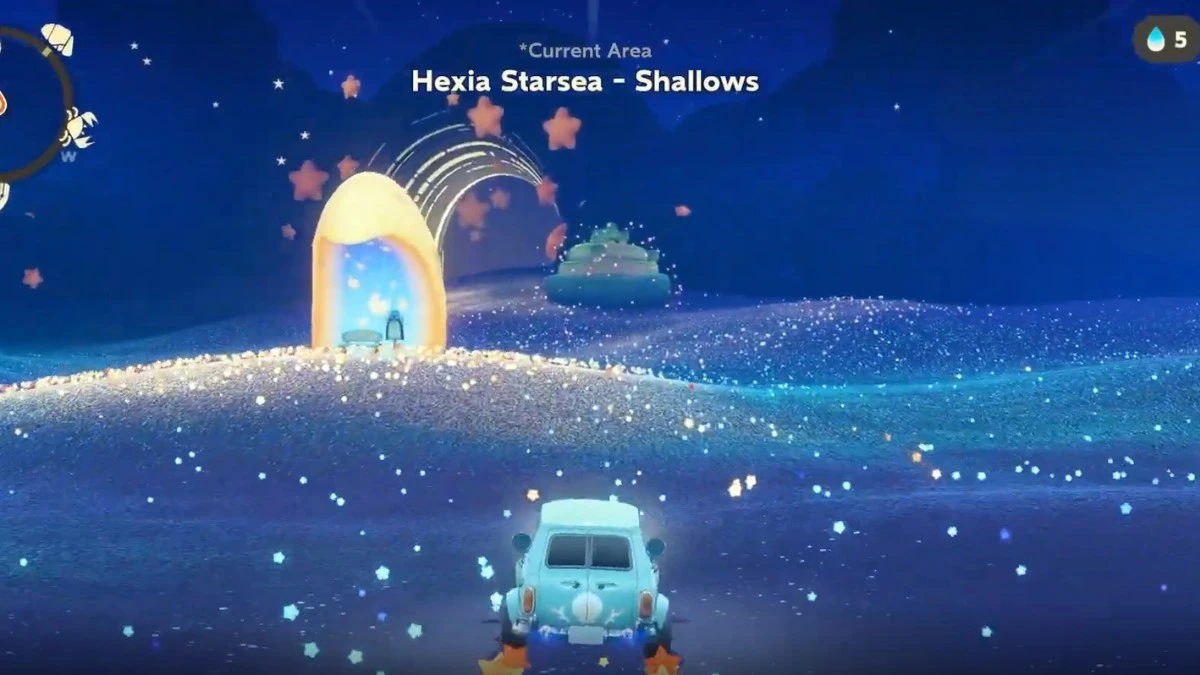
The Starsea is what pulls you away from your own planet for a while. You’ll head out in your little vehicle, travelling between smaller planets to gather materials, find recipes, and occasionally meet new neighbours. It’s a nice shift from the usual routine. You can’t stay out forever, though. Your vehicle has travelling limits, so you end up planning your trips, where you’re going, what you’re hoping to bring back, and how long you can stay out.
You can bring neighbours along too, and they’ll help gather things while you explore. It’s a small touch, but it makes the whole thing feel a bit less solitary.
How does monetisation work in Petit Planet?
The game currently runs on a small set of currencies. For now, during the closed beta period, there are a couple of currencies available in-game.
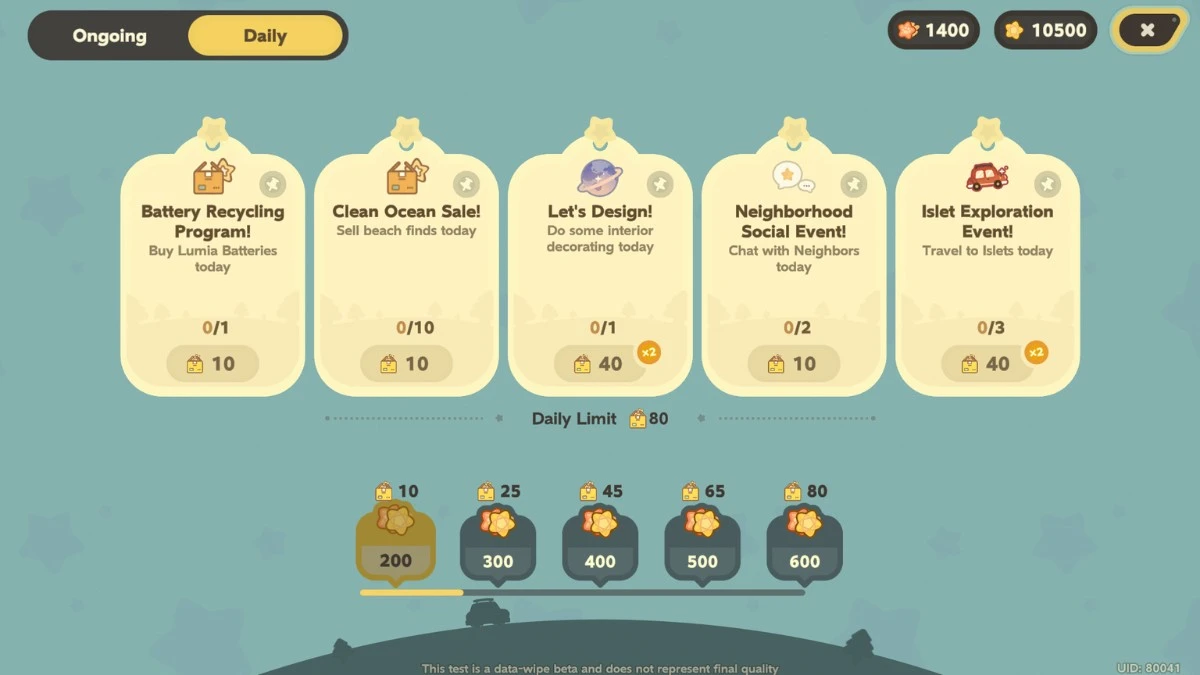
- Dough is your baseline currency. You earn it through regular activities, StarDash deliveries, sell items and furniture, general tasks, and just playing the game, and it’s used for most standard purchases. If you’re buying everyday items or engaging with routine systems, this is what you’ll be spending.
- Loomi sits a step above Dough. It’s tied more closely to progression, earned through achievements, milestones, and specific tasks, and is typically used for higher-end furniture and outfits. It feels more curated, like something you save up and spend intentionally, rather than constantly cycling through for everyday purchases.
- Bazaar Jellies, on the other hand, is the currency you earn for participating in activities in the Galactic Bazaar. These are what you'll use to redeem prizes from the Galactic Bazaar.
- There’s also a battle pass called which helps you accumulate Curio, a currency you can use to claim prizes in the Curio Emporium. While not available for now, it's likely that this will be be available for purchase with real-life currency when the game launches.
- A gacha system doesn’t seem to be present yet as well, and there’s no indication on which currencies can be purchased with real-life money yet.
Where does Petit Planet need to improve on?
UI and inventory management are some of the most noticeable weak points right now, especially the longer you play.
The UI starts off bright and appealing, but as more systems unlock, it becomes harder to navigate comfortably. Menus don’t follow a consistent structure, with some open centrally, while others are pushed to the side, and switching between them never quite feels seamless. The in-game phone is a nice idea in theory, acting as your hub for quests, relationships, apps, and more. In practice, though, it turns into a bit of a cluttered grid of icons that you have to constantly dig through.
Inventory management also needs quite a bit of refining. There doesn’t seem to be a strict carry limit, which sounds convenient at first. But without strong sorting or filtering tools, it quickly turns into a scrolling problem. If you’ve accumulated a lot of furniture or materials, finding a specific item can take longer than it should. A sorting system exists, but it’s too broad to be genuinely helpful. There’s no proper search bar, and even identifying items can be tedious. You often have to click into them individually just to read their names.
That same friction carries over into crafting and cooking. If you’re missing materials, you’ll sometimes have to back out and manually go back to your crafting desk or cooking station to check what you need, rather than having them readily available in side quest bars when needed, or when tagged.
This goes the same with currency management. While you can find out which currency is available when you open a specific window, it would be helpful if you can manage them all with fewer clicks or within the same window, just like most other HoYo games.
The multiplayer system is mostly smooth, but there seems to be some sort of bug that won't allow you to accept another player's gift or invites. The chatbot AI NPCs do make mistakes or act out at times, which can break the gameplay experience when interacting with them during minigames, like Riffe's Story Soup.
Overall first impressions about Petit Planet
The beta version of Petit Planet shows a lot of promise: it really does offer a cosy, relaxing vibe that can easily turn into someone's obsessive time sink. There’s still a lot of UI and organisational issues that can be refined, but the concept, graphics, music, minigames, and overall gameplay loop are solid, and performance is pretty good for the most part on mobile, too. With a bit more polish, it’s easy to see this becoming a popular cosy game staple in the near future.
Petit Planet will be available to play on PC and mobile via iOS or Android. We received access to the closed beta for the purposes of this gameplay preview.
When is Petit Planet coming out?
HoYoverse hasn’t announced Petit Planet's release date yet.
Is Petit Planet free-to-play?
Petit Planet is free-to-play.
Is Petit Planet a multiplayer game?
Yes, Petit Planet has multiplayer features where players can befriend other Planet Tenders, visit their planets, interact with them, and more.
On what platforms will Petit Planet be available?
Currently, Petit Planet will be available to play on PC and mobile via iOS or Android, with plans to release in other consoles in the future.
How can I participate in Petit Planet’s closed beta?
Registration for this closed beta has already concluded. Players interested for future tests can sign up through the official website, although it won’t be a guarantee that they will be chosen to participate.
Is there gacha in Petit Planet, and how does it work?
At the moment, there’s no clear gacha system in place during the closed beta. However, character banner-like artwork for neighbours seem to indicate that there could be a gacha element for this game in the future.
Is there a battle pass in Petit Planet?
Yes, there’s a seasonal battle pass called the Curio Card. Through it, you can collect Curio, which is the currency you will need to redeem items from the Curio Emporium.
Are there dailies in Petit Planet?
Yes, Petit Planet has a list of dailies that players can do to earn in-game currency, or help grow and improve their own planets.