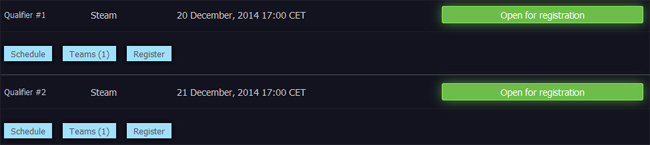
Registrations for the first two qualifiers of Awesome Cup are as of now open. Find out details below about the registration process.
The first thing you need to do is to set up a team if you have not already done so. To do that, you and your team mates all need to register GosuGamers accounts first (can be done at this site, using the Sign up option towards the top). After registering and logging in, select My Teams where you can set a team name aswell as invite your team mates (they need to be registered in order to get invited). They will then need to accept the team invite, either through a message on the top of the site, through a link sent to their GosuGamers inbox or through the same link sent as an email. This video by SlowWolf explains the process in detail:
Provided you have a team with three members fully accepted, you can head over to the tournament page and pick if you want to register for qualifier one or two (you are allowed to register for both). Clicking "Register" will allow you to select which three players of your team will participate. If you select yourself as one of the players, you will also need to enter your SteamID. If you do not know your SteamID, you can use this tool to find it. The SteamID is written in the format STEAM_0:X:XXXXXX.
Once done and you've agreed to the rules of the tournament, you have set up your team for an Incomplete registration. To complete it, the players you selected for the qualifier need to accept participating in it. That is done the same way as when they accepted to become a part of the team. As a player, you can accept either through the message in your GosuGamers inbox, through the mail sent to your email address or by simply clicking accept in the message showing up on top of this site.

When all players of the selection accepted to play the qualifier, the registration is complete.
Who will get to play?
The qualifiers will each hold up to 32 teams. The first 32 teams to complete their registrations (as explained above) will take seats as Registered teams. Any team completing registration after those 32 seats are already full will be listed as reserves. Reserve priority will be ranked counting the date/time when the team first initiated registration (i.e. not when it was completed).
How does the reserve system work then? This is where check-in comes into play. The check-in opens Dec 20, 14 CET / 8am EST for qualifier one, Dec 21, 14 CET / 8am EST for qualifier two, which is three hours prior to the start of the bracket. A team that is not checked in will not be part of the bracket. For instance, in a scenario where five of those 32 seated teams do not check in, five reserves will get to play instead. Counting from top to bottom in the reserve list, in that scenario the five first teams with status checked in will replace them. Bottomline, if you intend to play, be sure to remember to check in!
Can I sign multiple qualifiers?
You may sign all four qualifiers if you want to. The only exceptions are if you have already qualified or if you managed to violate the rules in such regards that admins will not allow you to play. The process of signing yet another qualifier is the same as described above, with the exception that your Steam information will be stored since the first registration so you will not need to enter it again from scratch.
That is it, folks. If you have any questions feel free to stop by the forums and we will be happy to help you out. Also remember that every player participating in the qualifiers will receive a Teddy Ayla skin!